 DeVoice
MP3 to Text Free Online, Powered by AI Accuracy
Convert MP3 audio into clear, editable text in just a few clicks. With DeVoice, you can turn spoken content into written text effortlessly.
Drop your file here or click to browse
🎧 Upload MP3 File📝 Get Instant Text Output🌍 Supports Multiple Languages🔒 No Registration or Installation Needed
How to Convert MP3 to Text Free Online
Getting started takes just three simple steps:
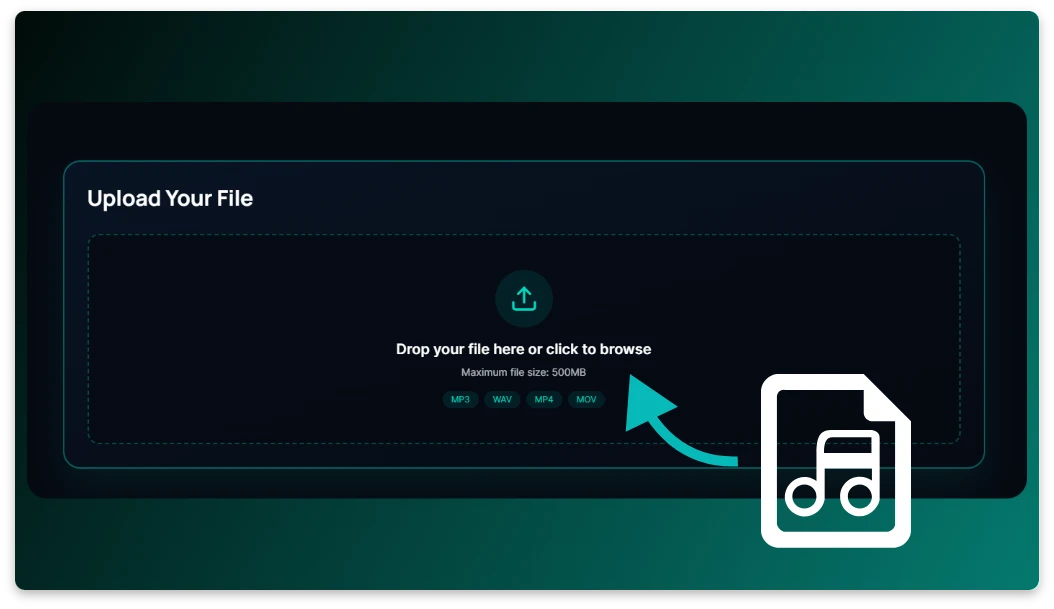
Step 1: Upload your MP3 file
Drag and drop your audio file directly into DeVoice or click "Upload." We support all common MP3 recordings.
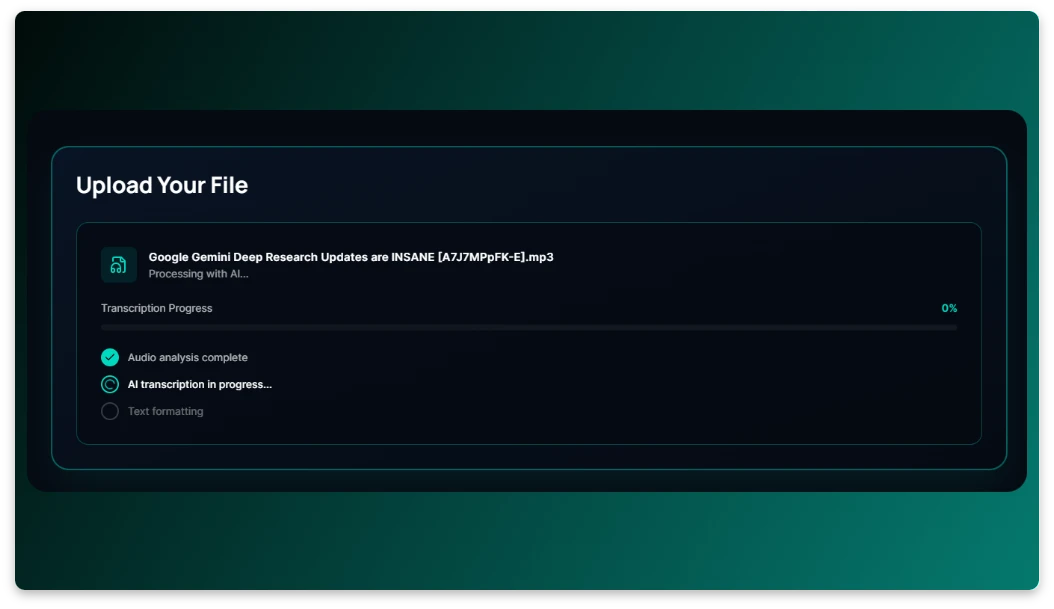
Step 2: Process the audio automatically
Our intelligent speech recognition system accurately transcribes MP3 into text.
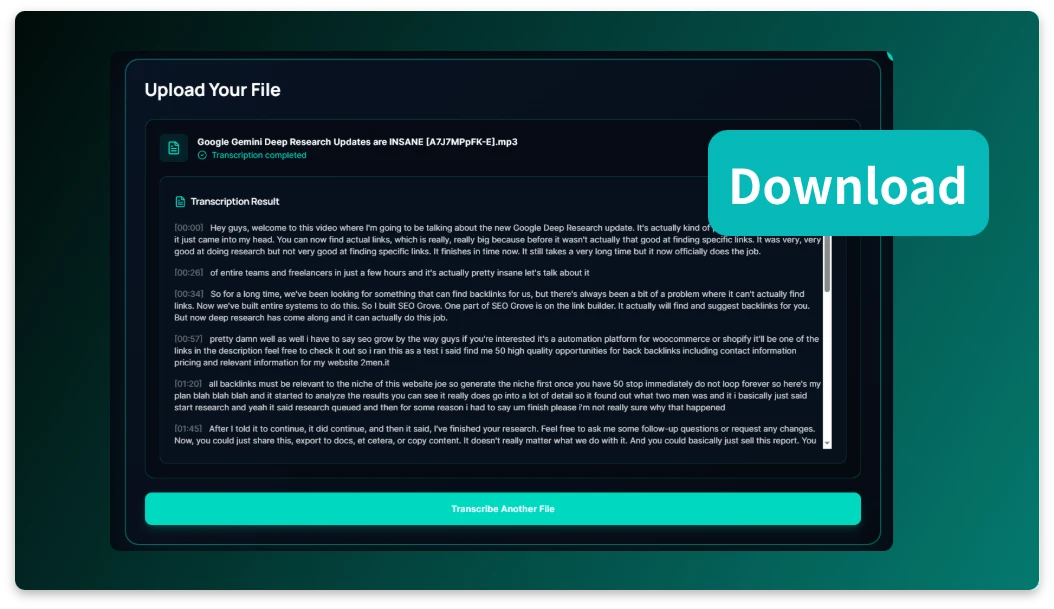
Step 3: Download the generated text
In seconds, you'll receive your clean transcript.
Use Cases for MP3 to Text Free

MP3 to Text Free for Students
Students often record lectures, webinars, and online courses as MP3 files. With DeVoice, those recordings can be quickly transformed into clean, readable text. I’ve seen how this saves hours of replay time and helps learners highlight key concepts, review faster, and study more efficiently.
MP3 to Text Free for Professionals & Remote Teams
Professionals rely heavily on recorded meetings and voice notes. DeVoice helps turn those MP3 files into structured transcripts that are easy to share and review. In my experience, this makes follow-ups clearer, reduces misunderstandings, and keeps remote teams aligned without extra manual work.

MP3 to Text Free for Creators & Podcasters
Podcasters and content creators often need text versions of their audio. Using DeVoice, MP3 episodes can be converted into blog articles, show notes, or subtitles. I recommend this approach if you want to boost SEO, improve accessibility, and get more value from every piece of audio content you publish.
Why Choose DeVoice to Convert MP3 to Text Free
Free & Unlimited Transcription
Convert as many MP3 files as you want without cost or registration. DeVoice provides truly unlimited, ad-free transcription.
Instant Results
Get your text within seconds, no waiting or manual typing. Perfect for anyone working under tight deadlines.
High Accuracy Powered by AI
Using advanced speech recognition, DeVoice captures every word — ensuring near-perfect transcription for interviews, podcasts, and more.
Private & Secure
Your uploads remain fully encrypted and are automatically deleted after processing. Your data stays yours — always.
Frequently Asked Questions (FAQ)
Got Questions? We've Got Answers!
Can I really convert MP3 to text free online?
Yes. DeVoice lets you convert MP3 to text free online so you can test transcription quality before committing to anything.
What MP3 files are supported?
Is the transcription accurate?
Do I need to install software?
Is my MP3 file secure?
What devices support MP3 to text conversion?
Start Converting MP3 to Text Free
DeVoice makes it fast and simple to turn your audio recordings into accurate, editable text. No fees, no sign-ups — just upload your MP3 file and let the AI handle the rest.